
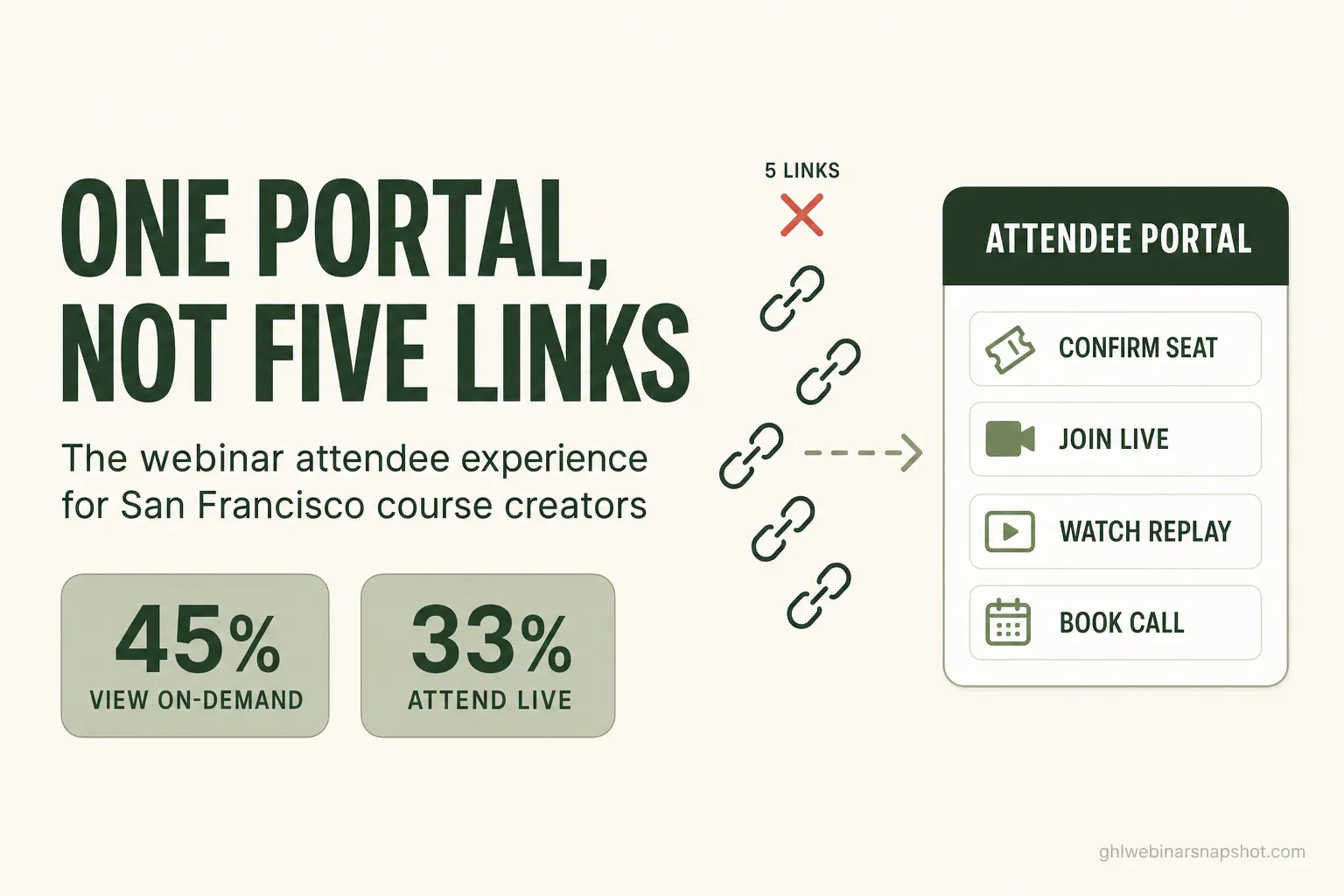
A fragmented webinar experience — where an attendee juggles a registration email, a live link, a separate replay page, a booking calendar, and a checkout — quietly loses the half of your audience that watches on-demand. Roughly 45% of webinar consumption now happens on the replay, not live (Goldcast, 2025), so every extra link between a San Francisco course creator and that replay is a door a busy buyer decides not to open. A single branded attendee portal — one login for the seat, the live room, the replay, and the sales call — closes those doors.
Here in the Bay Area, you’re selling to people whose calendars are already full and whose patience for a clunky flow is close to zero. You spend real money filling a webinar, then hand the most valuable third of your audience — the ones who missed live and came back for the replay — a scavenger hunt of links across three inboxes. This is a post about where that leak happens, what it costs, and the specific fix: a purpose-built attendee portal.
Table of contents
- What is a webinar attendee portal?
- Why the fragmented experience costs you the replay audience
- The five-link problem: friction is a conversion tax
- Where San Francisco course creators actually leak attendees
- What a single branded portal fixes
- Why this matters more in San Francisco
- Keep GoHighLevel — add the portal on top
- FAQ
What is a webinar attendee portal?
A webinar attendee portal is a single branded page, tied to one login, where a registrant does everything: confirms the seat, gets the live join link, watches the replay, downloads the resources, and books the sales call — instead of chasing each of those across separate emails and tools. It replaces the scattered “check your inbox for the link” flow with one address a registrant returns to, which matters because about 45% of webinar viewing now happens on-demand (Goldcast, 2025).
Think about how most webinar funnels actually work today. A person registers on one page. They get a confirmation email with a calendar link. They get reminder emails with a different live link. After the event, they get a replay email — often from a third system — pointing at a video hosted somewhere else, with the booking calendar on yet another domain. Five tools, five URLs, and no single home.
A portal collapses that. The registrant bookmarks one page. Before the event it shows a countdown and the join button. During the event it is the live room, or links straight to it. Afterward it becomes the replay hub, with the offer and a “book your call” button sitting right under the video. Same URL, all the way through. For a course creator, that’s the difference between hoping someone digs an old email out of a full inbox and giving them one reliable door.
Why the fragmented experience costs you the replay audience
The fragmented experience hurts most where your largest recoverable audience lives: the replay. With ~45% of consumption happening on-demand (Goldcast, 2025) and ON24 reporting a similar on-demand share plus a 47% jump in on-demand engagement year over year (ON24, 2025), the replay is not a leftover — it’s roughly half of everyone who will ever watch you. Scatter it behind links and you lose it.
Look at the raw shape of a standalone webinar. The average one converts only about 33% of registrants into live attendees (Goldcast, 2025), drawn from 19,531 webinars across 418 B2B brands and more than 3.5 million registrants. So two out of every three people who raised a hand never showed up live. Your entire relationship with that majority now depends on one thing: how easily they can find and watch the replay. If that means locating a specific email, clicking through to a video host, and then hunting separately for the booking link, most simply won’t.
The uncomfortable part? Replay watchers are often warmer, not colder. Someone who deliberately returns to spend 45–51 minutes with your content (ON24, 2025) is showing real intent. Making that person work to find the video is the marketing equivalent of leaving your best lead on hold.
The five-link problem: friction is a conversion tax
Friction has a measurable price, and a five-link webinar flow is pure friction. Baymard Institute found the average checkout runs 5.1 steps and 11.3 form fields when most sites need 8 fields or fewer, and overly long or complicated flows are among the top reasons roughly 70% of carts are abandoned (Baymard). A webinar attendee crossing five separate links and logins is running the same gauntlet — you’ve just moved the abandonment upstream of the sale.
Every hop compounds two costs. First, cognitive: “Which email had the link? Was the replay from the webinar tool or the email tool?” Second, technical: each new page is another chance to load slowly on a phone. That’s not trivial, because 53% of mobile visitors abandon a page that takes longer than 3 seconds (Google), and Deloitte’s Milliseconds Make Millions study found a mere 0.1-second speed improvement lifted conversions 8.4%. Now multiply those two taxes across five destinations. This is why I tell course creators that the flow itself is a conversion variable, not just the copy inside it.
Where San Francisco course creators actually leak attendees
San Francisco course creators leak attendees at four predictable seams: the confirmation gap, the reminder-link mismatch, the replay hunt, and the booking hand-off. Each seam is a moment the attendee has to switch tools or inboxes, and with 73% of B2B marketers naming webinars their top channel for high-quality leads (Cvent, 2025), a leak here is a leak in your best pipeline. Naming the seams is the first step to sealing them.
Here’s what those four leaks look like in practice:
- The confirmation gap. The registrant signs up but never adds the event to their calendar, because the confirmation lives in an email they’ve already scrolled past. No calendar hold, no live attendance.
- The reminder-link mismatch. Your reminder sequence sends a live link that looks different from the confirmation link. The attendee isn’t sure which is real, hesitates, and drifts.
- The replay hunt. This is the expensive one. Two-thirds of registrants are no-shows who now need the replay, but it’s buried in a post-event email from a different system. The 45% on-demand audience starts here — and much of it never arrives.
- The booking hand-off. A warm replay-watcher is ready to talk, but the “book a call” link is on a separate scheduling domain with its own load time and its own form. The moment of intent cools before the calendar loads.
None of these are copywriting problems. They’re architecture problems — the funnel is built out of disconnected pieces, so the attendee pays a switching cost at every seam. If you’ve ever wondered why your replay numbers look thin next to your registration numbers, this is usually where it went. It’s the same tool-sprawl tax I wrote about for NYC coaches running webinars on a dozen SaaS tools, viewed from the attendee’s side of the glass.
What a single branded portal fixes
A single branded attendee portal fixes the seams by removing them: one URL carries the registrant from confirmation to live room to replay to booked call, with no tool-switching in between. Because it’s one page powered by your CRM data, it also knows who’s looking — so a returning no-show sees the replay and the offer first, while a live attendee sees the “book your call” button. That personalization matters: ON24 found personalized experiences lifted on-demand attendance from 90 to 146 average viewers, a 62% increase (ON24, 2025).
Concretely, a well-built webinar attendee portal does five jobs in one place:
- Confirms and holds the seat. A one-click add-to-calendar and a live countdown, on a page the registrant bookmarks — not an email they lose.
- Serves the live room. The join button is on the same page they already know, so there’s no “which link was it?” moment at showtime.
- Becomes the replay hub. The instant the event ends, the page flips to the recording — the single address where your entire on-demand audience lands.
- Puts the offer under the video. The call-to-action and the “book a call” button sit right beneath the replay, so intent meets action without a domain change.
- Books the call in place. An embedded calendar, not a hand-off to a slow third-party page, captures the warm lead while it’s still warm.
The portal is a custom software build, not a template you rent, because it has to read your CRM and webinar data to personalize what each viewer sees. That’s exactly the kind of thing our custom software team builds for webinar operators — an attendee-facing portal wired into the systems you already run, so registrations, attendance, and replay-watch behavior all flow to one place. It pairs naturally with the replay-tag pipeline that surfaces buyers automatically and with your existing post-webinar follow-up.
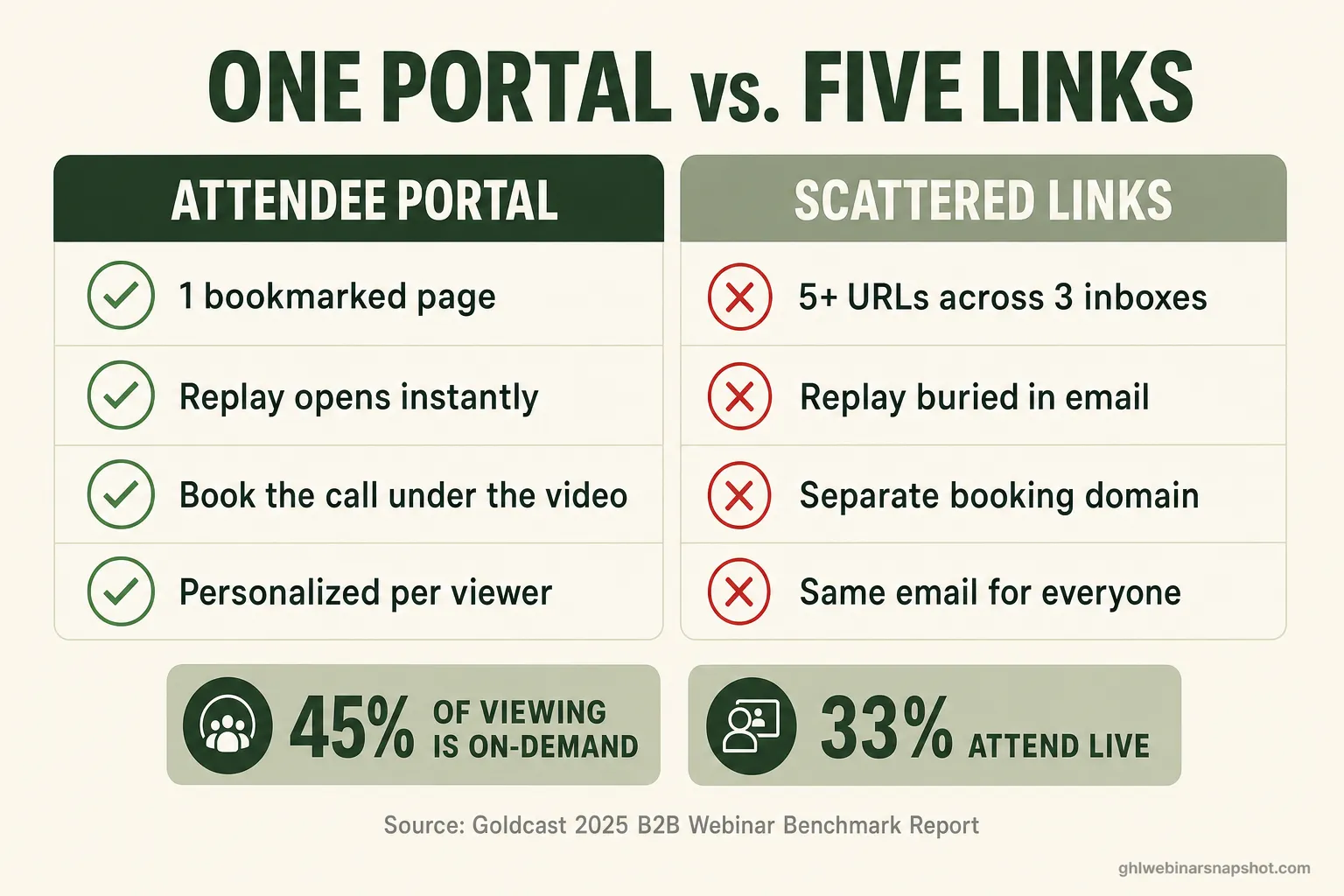
Scattered funnel vs. a single attendee portal
| Feature | Attendee Portal | Scattered Links |
|---|---|---|
| Number of URLs the attendee tracks | 1 bookmarked page | 5+ across 3 inboxes |
| Where the replay lives | Same page, opens instantly | A separate email + video host |
| Booking the sales call | Embedded under the replay | A different scheduling domain |
| Personalized to the viewer | Yes — reads your CRM data | No — same email for everyone |
| On-demand audience recovery | One reliable home | Depends on inbox archaeology |
Why this matters more in San Francisco
San Francisco sharpens every one of these leaks, because your audience is time-poor, mobile-first, and comparison-shopping the most polished operators in the country. A clunky five-link flow reads as amateurish to a Bay Area buyer who books a dozen SaaS demos a month, and a slow booking page competes directly with the 8.4% conversion lift a tenth of a second can carry (Deloitte). In this market, the attendee experience is part of the product.
Two local realities make the portal a real edge here:
- Your buyers judge the flow. SF course creators often sell to founders, operators, and technical teams who have sat through hundreds of webinars. A single branded portal signals that the program behind it is buttoned-up. A trail of mismatched links signals the opposite — before they’ve watched a minute of your teaching.
- Mobile and on the move. A large share of Bay Area registration and replay traffic is on a phone between meetings or on transit. That’s exactly where a fragmented, load-heavy flow falls apart and where a single fast page holds up. Pair the portal with a fast Astro registration site and the whole path — from ad click to booked call — stays quick.
If you want the numbers behind the funnel this portal protects, our 2026 webinar benchmarks and the case for treating show-up rate as the metric that compounds are the companion reads. The portal fixes the experience; those pieces cover the math.
Keep GoHighLevel — add the portal on top
You don’t rip out GoHighLevel to get an attendee portal — you build the portal on top of it. GHL stays the engine for your CRM, reminder cadence, tagging, and pipelines; the portal is the attendee-facing front end that reads that data and presents one clean page. Given that standalone webinars only convert ~33% of registrants live (Goldcast, 2025), the portal’s real job is recovering the other two-thirds through a replay experience they’ll actually use.
This is a custom build because it’s specific to how your webinars run — live versus evergreen, your replay window, your booking rules, your buyer-signal thresholds. Off-the-shelf page builders can’t read your GHL contact data and change what a returning no-show sees versus a hot replay-watcher. A purpose-built portal can. If your webinar business has outgrown the “check your email for the link” flow, that’s the point where a custom attendee portal starts paying for itself in recovered replay views and booked calls.
FAQ
What is a webinar attendee portal?
It's a single branded page, tied to one login, where a registrant confirms their seat, gets the live join link, watches the replay, downloads resources, and books a sales call — instead of chasing those across separate emails and tools. Because about 45% of webinar viewing is now on-demand (Goldcast, 2025), the portal's biggest job is being the one reliable home for your replay audience.
Why does a fragmented webinar flow lose registrations?
Every extra link is friction, and friction has a measured cost. Baymard found the average checkout runs 5.1 steps and 11.3 form fields when most need 8 or fewer, and long or complicated flows drive roughly 70% cart abandonment. A webinar split across five URLs and inboxes applies the same tax — attendees drop off at each hand-off, especially the replay hunt.
Is the replay audience really that big?
Yes. About 45% of webinar consumption happens on-demand, and roughly 31% of live attendees come back to re-watch (Goldcast, 2025); ON24 reports a similar on-demand share and a 47% year-over-year jump in on-demand engagement. Since the average standalone webinar only converts about 33% of registrants live, the replay is where most of your audience — and pipeline — actually is.
Do I have to leave GoHighLevel to get an attendee portal?
No. The portal is built on top of GoHighLevel, not instead of it. GHL keeps running your CRM, reminders, tagging, and pipelines, while the portal is the attendee-facing page that reads that data and shows each viewer the right next step — the live room, the replay, or the booking calendar. It's a custom front end over the automation you already have.
Why build a custom portal instead of using a page builder?
A page builder can't read your GHL contact data, so it can't personalize what a returning no-show sees versus a hot replay-watcher — and personalization lifted ON24's on-demand attendance 62%. A custom portal reads your CRM and webinar data, applies your replay window and booking rules, and changes the page per viewer. That data-awareness is the whole point, and it requires a real build.
How does this help a San Francisco course creator specifically?
Bay Area buyers are time-poor, mobile-first, and have sat through hundreds of webinars, so a slick single-page experience is a competitive signal and a clunky five-link flow is a red flag. A fast portal also avoids the mobile abandonment that costs conversions — 53% of mobile visitors leave a page that takes over 3 seconds (Google). The experience becomes part of how your program is judged.
About the author
Priya Shankar is a Course Launch & Conversion Coach based in Seattle, WA. She works with course creators and founders who teach to sell — masterclasses, demos, and high-ticket coaching webinars — and came up through online education and content marketing, so she thinks as much about the offer and the room energy as the automation underneath it. Her writing connects the human side of a live event to the systems that capture, nurture, and book the people most ready to buy.
Related reading
- Custom Webinar Software for NYC Coaches: When Off-the-Shelf Tools Start Costing You Sales
- The Webinar Conversion Funnel: Where Registrants Leak and How to Fix Every Stage
- Webinar No-Show Recovery: Win Back the Registrants Who Didn’t Attend
- The Replay-Tag Pipeline: How to Surface Webinar Buyers Without Manual Outreach
- Webinar Benchmarks 2026: Show-Up Rates & Conversion Data
Sources
- Goldcast — 2025 B2B Webinar Benchmark Report (on-demand share, re-watch rate, 33% live attendance)
- ON24 — Key Takeaways from the 2025 Webinar Benchmarks Report (on-demand engagement, personalization lift)
- Baymard Institute — Checkout Flow Average Form Fields (5.1 steps, 11.3 fields)
- Baymard Institute — Cart Abandonment Rate (~70%)
- web.dev — Milliseconds Make Millions (Deloitte; 0.1s → +8.4% conversions)
- Think with Google — Mobile Page Speed Benchmarks (53% abandon after 3s)
- Cvent — Webinar Statistics (73% of B2B marketers rank webinars top for high-quality leads)